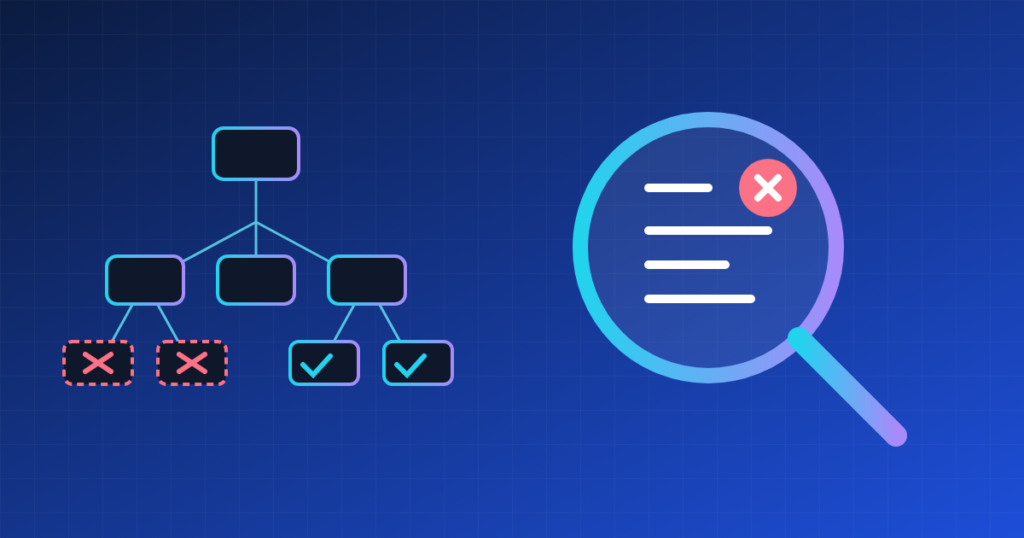
Website crawling and indexing problems can prevent important website pages from appearing in Google search results. Crawling issues stop search engines from accessing or discovering content, while indexing issues occur when Google processes a page but does not add it to its search index. Common causes include incorrect robots.txt rules, noindex directives, broken internal links, server errors, duplicate content, and weak website structures.
At Innosoft Works, we help businesses strengthen their technical SEO foundations through website analysis, strategic optimisation, and practical solutions. Our approach focuses on identifying barriers that affect search engine access, improving website structure, and making valuable content easier to discover and understand.
How Google Crawls and Indexes Website Pages
Crawling and indexing are two separate stages of how search engines process website content. Understanding the difference helps identify why a page may not appear in search results.
- Crawling is the process through which search engine crawlers, such as Googlebot, discover URLs and access their content. They can find pages by following internal links, external links, website navigation, and XML sitemaps. During a crawl, Googlebot requests a URL and retrieves the available page resources.
- Indexing happens after Google processes the information it finds. It examines the page’s content, images, metadata, and other signals to understand its purpose and determine whether it should be included in the Google index. An indexed page becomes eligible to appear in relevant search results, but indexing does not guarantee a particular ranking or position.
A page can therefore be crawled without being indexed. It may also remain undiscovered if search engines cannot find a clear route to it. Identifying which stage is affected is the first step towards resolving website crawling and indexing problems.
Common Website Crawling Problems
Website crawling issues occur when search engine bots cannot access important URLs efficiently or encounter technical barriers while navigating a site. The following problems can interfere with URL discovery and content access.
Misconfigured Robots.txt Rules
A robots.txt file provides instructions about which areas of a website crawlers can access. An incorrect Disallow rule may prevent Googlebot from crawling important pages, directories, or resources.
Review the file to identify unintended restrictions and make sure essential URLs are accessible. Remember that robots.txt controls crawling, not guaranteed removal from Google’s index. A blocked URL may still appear in search results if Google discovers it through other sources.
Broken Internal Links
Broken internal links direct visitors and crawlers to unavailable URLs. They commonly occur after website redesigns, page removals, or URL changes when existing links are not updated.
Use a website crawling tool to identify links returning errors. Replace outdated destinations with relevant working pages, or remove links that no longer serve a useful purpose. This improves navigation and helps search engines follow the website’s internal structure.
404 Errors and Missing Pages
A 404 response indicates that the requested page cannot be found. It is normal for some removed URLs to return 404 responses, so not every 404 needs to be redirected.
The important step is to identify broken internal links and URLs that previously contained valuable content. Update links pointing to missing pages and use a relevant permanent redirect when a page has genuinely moved or has a suitable replacement.
Server and Network Errors
Server errors, including HTTP 5xx responses, occur when a website cannot successfully process a request. Repeated errors can prevent Googlebot from accessing page content and may affect crawling over time.
Check hosting performance, server configurations, application logs, and network availability to identify the cause. Resolving recurring server errors helps maintain reliable access to important website URLs.
Redirect Chains and Loops
A redirect chain sends a visitor or crawler through multiple URLs before reaching the final destination. A redirect loop occurs when URLs repeatedly redirect to one another without reaching a working page.
Both situations can make navigation less efficient. Replace unnecessary redirect chains with direct redirects and correct loops at the server or website configuration level. Internal links should also point directly to the final destination wherever possible.
Orphan Pages and Weak Internal Linking
An orphan page has no internal links pointing to it from other pages on the website. Although it may still be discovered through a sitemap or external link, the lack of internal connections can make it harder for search engines and visitors to find.
Add relevant links from related service pages, category pages, blog posts, or other useful sections. A logical internal linking structure helps search engines understand how pages relate to one another and which content is important.
JavaScript Rendering Issues
Websites that rely heavily on JavaScript may experience rendering problems when essential content or links are not available to search engines as expected.
For example, a page may load correctly in a browser but display incomplete content when processed by a crawler. Test important URLs using Google Search Console’s URL Inspection tool and review the rendered page. Ensure that primary content, navigation, and important links can be accessed and understood.
Unnecessary URL Variations and Crawl Traps
Faceted navigation, filters, calendar features, and URL parameters can sometimes generate large numbers of similar or repetitive URLs. These patterns may create crawl traps and consume crawling resources without providing meaningful new content.
This issue is particularly relevant to large websites, such as ecommerce stores with extensive product catalogues. Review how URLs are generated, manage unnecessary variations, and make sure search engines can focus on useful, accessible pages.
Why Google May Not Index Your Website Pages
Even when Google can access a page, it may decide not to include it in its index. Website indexing problems can result from technical settings, duplicate content, or pages that provide limited value.
Accidental Noindex Directives
A noindex directive tells search engines not to include a page in their search results. It can be added through an HTML robots meta tag or an X-Robots-Tag HTTP header.
If an important page contains an unintended noindex directive, Google may exclude it from the index. Check the page’s indexing settings and remove the directive when the page should be available in search results.
For a noindex instruction to work, search engines must be able to crawl the page and read the directive. Blocking the same URL in robots.txt can prevent Google from seeing it.
Duplicate or Very Similar Content
When multiple URLs contain identical or substantially similar content, Google may select one version as the canonical page. Other versions may not appear separately in search results.
Review duplicate URLs, tracking parameters, and similar pages to identify where content overlaps. Use appropriate canonical signals to indicate the preferred version and maintain consistent internal links to that URL.
A canonical tag is a signal rather than an absolute instruction, so Google may select a different URL if other information suggests that another version is more appropriate.
Thin or Unhelpful Content
Pages with limited original information may offer little additional value to search users. For example, a service page with only a few generic sentences or several blog posts covering the same points may struggle to demonstrate a clear purpose.
Improve these pages by answering the intended search query more completely. Include useful explanations, relevant examples, practical guidance, and information that reflects the page’s actual subject. Avoid adding words simply to increase content length.
Conflicting Indexing Signals
Different technical settings can send inconsistent messages about which pages should be crawled or indexed. For example, a page may contain a noindex directive while also appearing in an XML sitemap or being identified as a preferred canonical URL.
Review indexing directives, canonical tags, redirects, and sitemap entries together. Make sure these signals consistently identify the version of each page that should be available in search results.
How to Diagnose Website Crawling and Indexing Problems
Finding the cause of an indexing issue requires checking the affected URL rather than assuming every unindexed page has the same problem. These tools and checks can help identify what is happening.
- Google Search Console: Review the Page Indexing report to understand why URLs are indexed or excluded. Use URL Inspection to check an individual page’s crawl status, indexing permissions, and Google-selected canonical.
- Robots.txt Testing: Examine your robots.txt file to identify rules that may unintentionally restrict important website sections.
- XML Sitemap Review: Check that the sitemap contains relevant, accessible, preferred URLs rather than redirected, blocked, or unnecessary pages.
- Website Crawling Tools: Use tools such as Screaming Frog to identify broken links, redirect chains, status-code errors, duplicate page elements, and other technical issues.
- Server Log Analysis: Review server logs to understand when Googlebot visits your website, which URLs it requests, and whether server errors affect access.
Start with the affected URLs and group them by their reported status. This makes it easier to identify patterns, prioritise important pages, and choose the right corrective action.
How to Fix Website Crawling and Indexing Issues
Once the cause has been identified, apply the correction that matches the specific problem. A structured approach helps avoid unnecessary website changes.
Restore Access to Important Pages
Check whether essential URLs return a successful HTTP response and can be accessed by search engine crawlers. Correct unintended robots.txt restrictions, resolve server errors, and make sure important content is available without unnecessary technical barriers.
Correct Indexing and Canonical Settings
Review robots meta tags, X-Robots-Tag headers, and canonical URLs. Remove accidental noindex directives from pages that should appear in search results. For duplicate or similar URLs, identify the preferred version and use consistent canonical signals.
Improve Internal Links and Website Navigation
Link important pages from relevant sections of your website. Use descriptive anchor text and organise related pages into logical categories. This helps visitors navigate the site while giving search engines clearer paths to discover valuable content.
Improve Pages That Offer Limited Value
Review pages that remain excluded after technical issues have been ruled out. Add original information, address the page’s search intent, remove unnecessary duplication, and make the content genuinely useful. Each important page should have a clear purpose rather than repeating information available elsewhere.
Update Your XML Sitemap
Include the preferred, indexable URLs that you want search engines to discover. Remove outdated, redirected, or non-indexable entries and update the sitemap when important pages are added or changed.
After making corrections, use Google Search Console to test the live URL and request indexing where appropriate. Google will decide when and whether to crawl and index the updated page, so a request does not guarantee inclusion.
Practical Example: Fixing a Website Indexing Problem
Consider a business website that has recently published a new service page. The page is accessible to visitors, but it does not appear in Google search results even after several days.
The first step is to inspect the URL through Google Search Console. Suppose the investigation identifies an accidental noindex directive in the page’s HTML. This setting tells search engines not to include the page in their index, even though visitors can access it normally.
To resolve the issue, the website owner should:
- Remove the unintended noindex directive from the page.
- Check that robots.txt does not block Googlebot from accessing the URL.
- Confirm that the canonical tag points to the preferred page URL.
- Add relevant internal links from related service pages or website sections.
- Test the updated page using Google Search Console’s URL Inspection tool.
- Request indexing after confirming that the page is accessible and indexable.
After these changes, Google can revisit the page and reconsider it for indexing. The website owner should monitor the URL’s status in Search Console to see whether it has been included in Google’s index.
This example demonstrates why identifying the actual technical cause is important. A page that is missing from search results does not always have a content problem; sometimes, a small configuration issue can prevent it from being indexed.
Best Practices for Preventing Future SEO Crawl Errors
Ongoing technical maintenance helps prevent small website issues from developing into larger search visibility problems. Build these checks into your regular SEO process:
- Monitor indexing reports: Check Google Search Console for unexpected changes in indexed and excluded URLs.
- Review website changes: Test important pages after redesigns, migrations, URL updates, and major technical releases.
- Maintain internal links: Update links when pages move or are removed, and connect new content to relevant existing pages.
- Keep technical settings consistent: Review robots.txt, canonical tags, redirects, and noindex directives when publishing or updating pages.
- Publish useful content: Make sure new pages provide distinct information and satisfy a clear search intent.
- Schedule technical reviews: Use regular website crawls to identify broken links, redirect problems, duplicate URLs, and other technical issues.
These practices help maintain a website that is easier to navigate, crawl, and understand.
When Should You Consider a Professional Technical SEO Audit?
A professional technical SEO audit can help when website crawling and indexing problems continue despite basic troubleshooting. It is particularly useful when a website has a complex structure, a large number of URLs, or recurring technical errors.
Consider a detailed review if:
- Important service or product pages remain unindexed without a clear explanation.
- Organic search visibility declines alongside technical website changes.
- Google Search Console reports recurring crawling or indexing issues.
- A website migration or redesign has affected URL access and indexing.
- Duplicate URLs, redirect problems, or internal linking issues are difficult to manage.
A thorough audit examines website accessibility, indexation settings, internal linking, URL structure, content quality, and other technical factors. It helps prioritise issues according to their potential impact and provides a clearer plan for resolving them.
For larger websites, enterprise SEO audit services can also help assess complex URL structures, multiple page templates, and extensive navigation systems.
FAQs
What Are Website Crawling and Indexing Problems?
Website crawling and indexing problems occur when search engines cannot properly discover, access, process, or include important pages in their search index. Common causes include robots.txt restrictions, noindex directives, server errors, duplicate content, and weak internal linking.
Why Are My Website Pages Not Indexed by Google?
Google may not index a page because it is blocked from crawling, contains a noindex directive, duplicates another URL, or provides limited value. Check the URL Inspection tool in Google Search Console to identify the reported indexing status and investigate the specific cause.
How Do I Fix the Crawled – Currently Not Indexed Status?
This status means Google has crawled the page but has not added it to its index. Review the content for duplication or limited value, check its canonical settings, and strengthen relevant internal links. After making useful improvements, you can request indexing through Google Search Console, although inclusion is not guaranteed.
Does Robots.txt Prevent Google from Indexing a Page?
No. Robots.txt controls whether compliant crawlers can access a URL; it does not guarantee that the URL will stay out of Google’s index. If you want to prevent a page from appearing in search results, allow Google to crawl it and use an appropriate noindex directive.
How Can I Check Website Crawlability?
Use Google Search Console to review crawling and indexing information for individual URLs. Website crawling tools can also identify broken links, redirect errors, inaccessible pages, and structural problems. Reviewing robots.txt, XML sitemaps, and internal links provides additional insight into how search engines can discover your content.
Strengthen Your Website’s Technical SEO Foundation
Search visibility depends on more than publishing content. Search engines also need to access important pages, understand their purpose, and process consistent technical signals. By identifying website crawling and indexing problems, improving content quality, and maintaining a clear website structure, businesses can build a stronger foundation for organic search performance.
Improve your website’s accessibility and search visibility with expert SEO solutions from Innosoft Works.
Leave a Reply